
Things You Didn’t Know About Microsoft 365 (And How SMEs Can Use Them Better)
For many businesses, Microsoft 365 is simply seen as email, Word, Excel, and Teams. It’s the digital equivalent of office stationery, essential, familiar, and often taken for granted. What’s far less obvious is that Microsoft 365 has quietly evolved into a full digital work platform. Today, it includes automation, AI powered assistance, collaboration tools, built-in recovery, security controls, and governance features that most SMEs are already paying for but rarely use.
This article explores lesser‑known Microsoft 365 capabilities, explains why they matter to small and medium businesses, and shows how using them properly can save time, reduce risk, and significantly improve day‑to‑day work.

What Microsoft 365 Really Is Today (Not Just Office Apps)
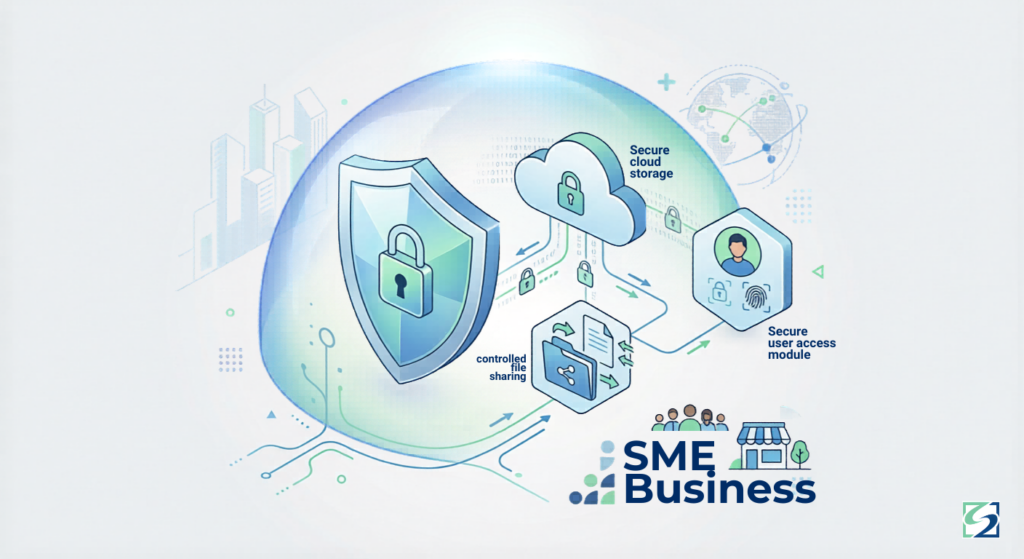
Microsoft 365 is no longer just a productivity suite; it’s an integrated business platform. It combines real-time collaboration through Teams, SharePoint, and Loop; cloud storage via OneDrive; workflow automation using Power Automate; AI assistance through tools like Microsoft Editor, Designer, and emerging Copilot features; and identity, security, and compliance controls that support modern business operations.
Many SMEs already license these capabilities but continue using Microsoft 365 as if it were still just Outlook and Word. The gap isn’t technology; it’s awareness and configuration.
What’s “Most Recent”: Hidden and Underused Microsoft 365 Capabilities
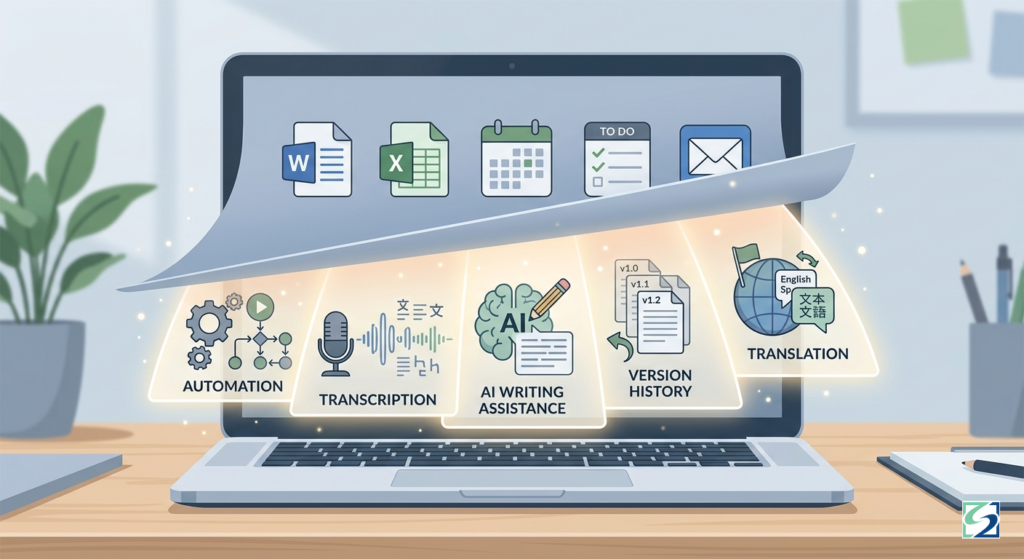
One of the most surprising features for many users is that Microsoft Word can automatically transcribe audio recordings. Meetings, interviews, and voice notes can be converted directly into editable text without third-party tools. For SMEs, this saves hours of manual notetaking and documentation, especially in client facing or administrative roles.
Excel, often seen as a static spreadsheet tool, can now pull live data without complex formulas. Built-in data types allow real-time updates for company information, geography, and financial data. This is particularly useful for finance teams and managers who rely on up-to-date figures without manual refreshes.
PowerPoint also does more than display slides. Its Presenter Coach feature provides real-time feedback on pacing, clarity, tone, and filler words while rehearsing presentations. This allows sales teams, managers, and presenters to improve delivery without formal coaching or training.
Outlook, often blamed for inbox overload, includes automation tools that many users overlook. Features like Ignore Conversation, Quick Steps, and Focused Inbox dramatically reduce email noise by automating repetitive actions and prioritising what actually matters. This alone can reclaim a surprising amount of time each week.
File recovery is another underrated area. OneDrive and SharePoint include built-in version history, allowing users to restore previous versions of files, undo accidental overwrites, and track changes. For SMEs, this prevents panic when something is overwritten and reduces dependency on ad‑hoc file recovery.
Microsoft Editor quietly improves written communication across Word, Outlook, and the web by enhancing grammar, clarity, tone, and professionalism using AI. This is especially valuable for client emails, proposals, and reports, where quality communication directly influences perception and trust.
Teams also supports inline message translation, enabling multilingual teams to collaborate more easily without leaving the platform. As SMEs increasingly work with diverse teams and international clients, this feature removes friction without introducing new tools.
For note‑takers and planners, OneNote can convert handwritten notes into typed text or even mathematical formulas using Ink‑to‑Text and Ink‑to‑Math. This is particularly effective for tablet users, technical roles, and anyone who prefers handwriting.
Power Automate takes Microsoft 365 a step further by allowing SMEs to replace repetitive admin work with simple automation. Tasks like approval emails, file organisation, notifications, and data syncing can be handled automatically, without custom software development.
Finally, Focus Mode in Word and OneNote removes distractions by stripping away toolbars and notifications. It supports deep work, helping users write, plan, and concentrate, something increasingly rare in busy digital environments.
What to Look Out For: Common Missed Opportunities
Many SMEs don’t struggle because Microsoft 365 lacks features, they struggle because features go unused. Businesses use Outlook without Quick Steps, store files in OneDrive without understanding version history, pay for automation but continue manual admin, rely on Teams but ignore Planner or Loop, and type everything manually instead of using dictation.
These are not technical failures. They are usage gaps, and they quietly limit productivity.

How SMEs Benefit from Using These Features Properly
When Microsoft 365 features are used as intended, SMEs benefit in several practical ways. Time is saved as automation and AI reduce repetitive tasks. Collaboration improves as Teams, SharePoint, and Loop reduce email back-and-forth and improve visibility. Errors decrease through version control, smart writing assistance, and process automation. Professionalism improves across documents, emails, and presentations without additional training. Most importantly, businesses get a far better return on the Microsoft 365 licenses they already pay for.

Risk and Mitigation: Practical Layers for South African SMEs
Using more features safely requires structure. Identity and access controls, such as MFA, ensure staff sign in securely. File governance becomes important to control sharing, apply expiration dates, and manage permissions. Automation should be documented and reviewed so that workflows remain transparent and reliable. Backup awareness is critical, version history helps, but it is not the same as a full backup strategy. POPIA awareness ensures that personal and client data is stored, shared, and managed responsibly.

If Something Goes Wrong: What to Do
If a feature is misused or something breaks, early action makes the difference. Files can be restored using version history, account activity should be reviewed for unusual behaviour, problematic automation can be paused or disabled, and permissions can be reset. If there is any indication of data exposure, escalation should happen quickly. Small issues become serious only when ignored.
Frequently Asked Questions (For SME Owners & Admin Teams)
Are these features included in standard Microsoft 365 plans?
Yes, many are already included in Business Standard and Premium.
Do we need technical skills to use them?
No, most are user‑friendly and require minimal setup.
Can too much automation cause issues?
Only if it’s unmanaged. Visibility and reviews prevent problems.
Are these features secure?
Yes, when properly configured with access controls.
Why don’t more businesses use these tools?
Most SMEs were never shown what’s possible or how to apply them practically.
Seitfin (Built for SMEs)
Microsoft 365 is powerful, when it’s configured and used properly.
Seitfin helps South African SMEs:
- Optimise Microsoft 365 usage
- Enable productivity and automation safely
- Improve collaboration without chaos
- Apply security best practices
- Align usage with POPIA requirements
If you want Microsoft 365 to actually work for your business, not just be installed, Seitfin can help you unlock its full value.

Move to Microsoft 365 with Confidence
Migration, security, collaboration and ongoing improvements — handled by Seitfin